Text tool
Upside Down Text Generator
Flip, reverse, and mirror your words.
Your text
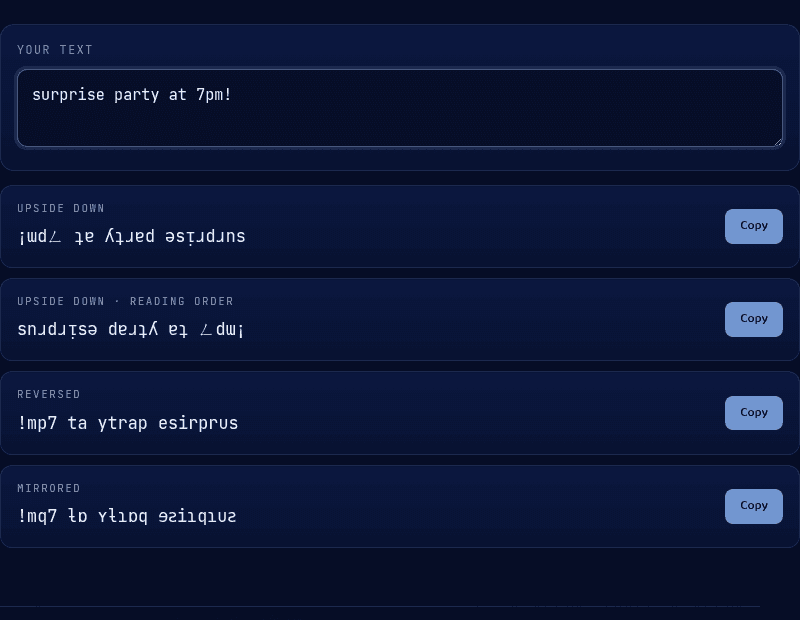
Upside Down
ǝpᴉs ɹǝɥʇo ǝɥʇ ɯoɹɟ ollǝɥ
Upside Down · Reading Order
ɥǝllo ɟɹoɯ ʇɥǝ oʇɥǝɹ sᴉpǝ
Reversed
edis rehto eht morf olleh
Mirrored
ɘbiꙅ ɿɘʜƚo ɘʜƚ moɿꟻ ollɘʜ
How it works
An upside down text generator doesn't rotate your text — it swaps each letter for a different Unicode character that happens to look flipped, since Unicode doesn't include a true inverted twin for every letter (many of the closest matches come from the International Phonetic Alphabet). It then reverses the whole string so the flipped letters land in the right order once you read it upside down. Because the result is standard Unicode text rather than an image or a special font, it copies and pastes exactly like normal text into any app that accepts it.
When you'd use this
- Standing out in a bio or caption: a flipped line at the top of an Instagram or TikTok bio, or as a one-off caption, catches the eye in a feed where everything else reads normally.
- Novelty messages and pranks: sending a friend a "read this upside down" text, or hiding a joke in a birthday card or party invite, is the classic use case the format was made for.
- Emphasis in fast-moving chats: in Discord or a group chat, a short flipped phrase breaks up a wall of normal text without needing bold or caps, which some platforms strip anyway.
Frequently asked questions
How do you type upside down text?
You don't type it directly — there's no upside-down key on any keyboard. Type your normal text into a generator like this one, and it swaps each letter for its flipped Unicode lookalike. Then copy the result and paste it anywhere.
Is upside down text a real font?
No. There's no dedicated upside-down font, because Unicode doesn't include a true inverted twin for every letter. Generators map each character to the closest visually flipped symbol instead, often borrowed from the International Phonetic Alphabet, which is why the output is plain text rather than a font file.
How do I type upside down text on my iPhone?
The same way as anywhere else: generate the flipped text on a site like this one, then copy and paste it into Messages, Notes, or any app. iOS doesn't need a special keyboard or app, since the output is just standard Unicode characters.
Why does my upside down text look different after I paste it?
A handful of letters have no genuine upside-down twin in Unicode, so the generator substitutes the closest lookalike character it can find. Most words stay perfectly readable; a few individual letters end up as close approximations rather than exact mirrors.
Can I use upside down text in my Instagram or TikTok bio?
Yes. Because it's standard Unicode text rather than an image or custom font, it pastes into Instagram and TikTok bios, captions, and comments the same as any other text, and displays correctly on both iOS and Android.
From the blog
Related tools