Tint tool
Color Shades Generator
Stretch one color into shades, tints, and tones.
Base color
Shades — toward black
Tints — toward white
Tones — toward grey
How it works
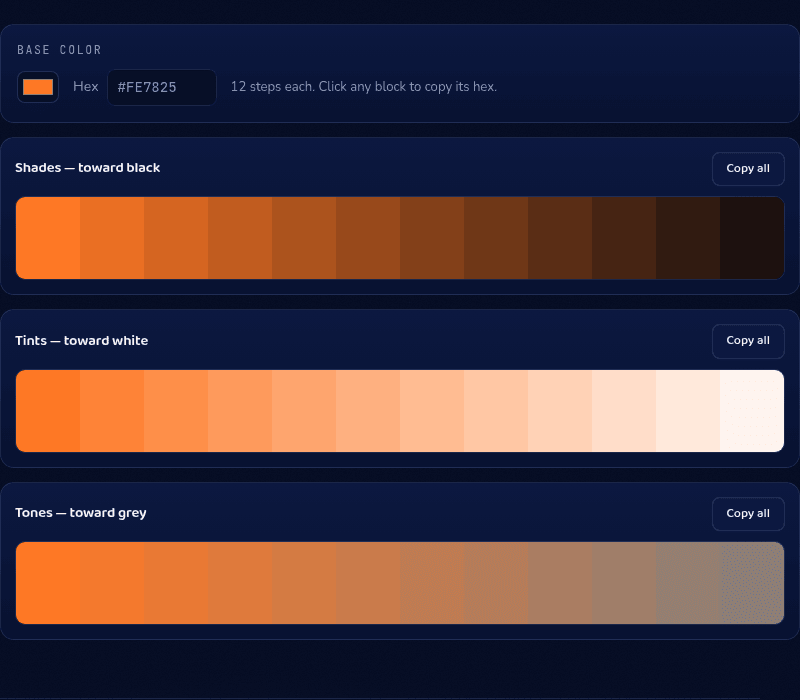
This color shades generator mixes one base color progressively toward black, white, and grey to produce three 12-step ramps — shades, tints, and tones — each step one click from your clipboard. Because every step keeps the same hue, the whole ramp reads as unmistakably "your" color at every lightness, from near-black text down to a near-white background tint.
When you'd use this
- Building a design system color scale: generating a full 50-to-900-style lightness scale from one brand color instead of hand-picking each step and risking inconsistent jumps.
- Finding a text color that passes contrast: pulling a darker step of a brand hue to use as body text on a light background, keeping the same color family instead of falling back to plain black.
- Creating hover and pressed states: grabbing one step lighter or darker than a button's base color for its hover and active states, so the interaction feels connected to the base color.
Frequently asked questions
How do I make shades of a color?
Enter your color and read the Shades row: twelve steps mixed progressively toward black, each one click from your clipboard. Tints (toward white) and tones (toward grey) sit right below.
What's the difference between a shade and a tint?
A shade is your color plus black (darker); a tint is your color plus white (lighter). Both preserve the hue — only lightness changes.
How many shades should a design system color have?
Most systems use 9–12 steps per color (the familiar 50–900 scale). The 12-step ramps here map directly onto that convention.
Which shade should body text use?
Dark enough to hit 4.5:1 contrast against your background — usually one of the last few steps of the Shades ramp on light backgrounds. Verify the exact pair in the Contrast Checker.
From the blog
Related tools